


Kids Learn Shapes 2
4.35.00 Reviews
App Specs
- Version
- 1.3.10
- Updated On
- License
- $1.99
- Downloads
- 10,000+
- Developer
- Intellijoy Educational Games for Kids
- Categories
- Educational
- Platform
- Android
Screenshots
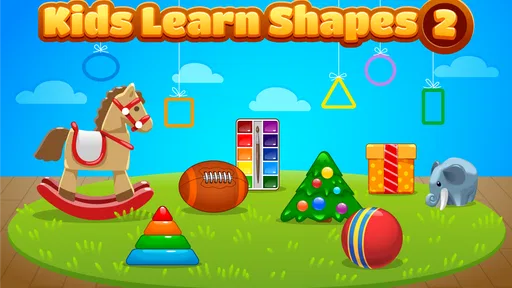
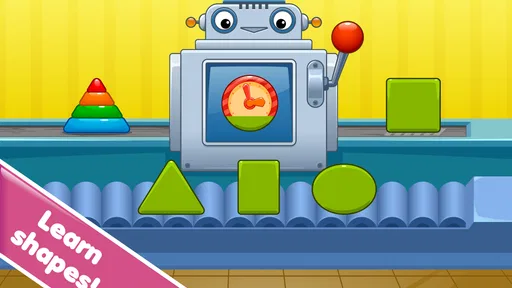
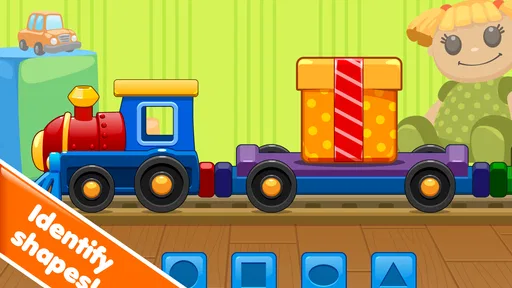
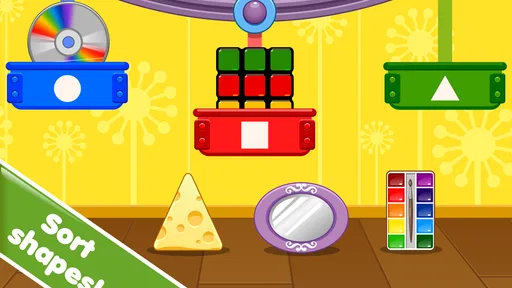
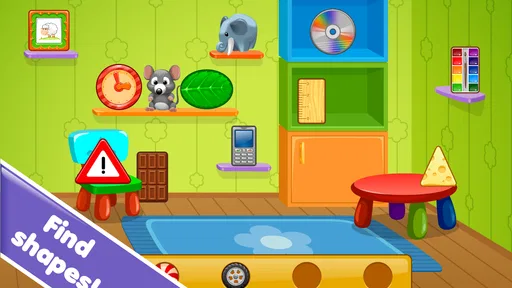
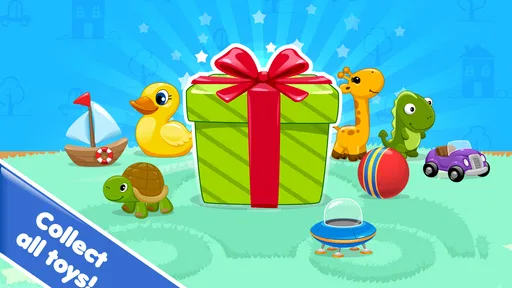
 Analysis by AppCompare
Learning shapes is one of those early skills that looks simple until a child has to recognize the same form in a different size, position, or setting. Kids Learn Shapes 2 focuses on that narrow but important step through a child-friendly educational game from Intellijoy Educational Games for Kids. After spending time with it, I see its main value in repetition: it gives a young learner a focused place to look at shapes, name them, and become more comfortable distinguishing one from another.
This is not an all-purpose preschool package, and that is actually part of its appeal. The game is built around shapes rather than trying to combine letters, numbers, colors, stories, and puzzles into one busy experience. If your child is currently working on recognizing basic geometric forms, that concentration can make practice feel more manageable. If you are looking for a broad curriculum or a game with a long progression system, you may find it too limited.
Learning shapes through focused recognition
The central capability is straightforward: the game turns shape recognition into an activity a child can repeat without needing a worksheet or an adult to prepare materials. In my experience, that matters because young children often need many short encounters with the same idea before it becomes automatic. A paper exercise may be useful, but a digital game can make the practice easier to start when attention is limited.
The educational benefit is not just memorizing a word such as “circle” or “triangle.” A child is also learning to notice visual properties: straight edges, corners, curves, and the overall outline. That distinction becomes useful later when shapes appear in drawing, early writing activities, construction toys, and simple mathematics. The game works best when parents treat it as a way to reinforce observation, not as a replacement for hands-on play.
I would describe the experience as a focused introduction for young learners. The Everyone content rating makes it suitable for a broad family audience, while the simple subject keeps the learning goal clear. The developer, Intellijoy Educational Games for Kids, specializes in this kind of early educational software, and that background shows in the decision to keep the topic narrow rather than burying it under unrelated distractions.
What the focused format changes for a child
Shape learning can become frustrating when several concepts are introduced at once. A child who is still mixing up a square and a rectangle may not benefit from an activity that immediately adds counting, spelling, and timed challenges. A dedicated shape game gives the child permission to stay with one visual idea until it feels familiar.
There is also a useful difference between recognizing a shape in a fixed flashcard and identifying it during a changing activity. When the same concept is presented through interaction, the child has to pay attention instead of simply repeating a word heard from an adult. That makes the practice more active, even though the subject itself remains basic.
Worth Reading Before You Choose

EA SPORTS FC Mobile 26 Is a Bigger Football Game, but It Takes Time

Flipboard Shows What News Apps Must Do Beyond the Feed

Switching to Android Auto Means Rethinking Your Driving Routine

Google Calendar Makes a Crowded Week Easier to Manage

Ludo King Makes the Most of the Minutes Between Plans

Baby Panda World Brings Quick Play to Modern Phones, but Its Game Library Feels Busy
One tip I found especially useful is to avoid correcting every hesitation immediately. If a child pauses, I would give them a moment to inspect the outline and explain what they see. “It has four equal sides” is more helpful than simply saying “That is a square.” The game can provide the repetition, but the adult conversation helps connect the screen to real objects.
How it feels to use in practice
The strongest way to use this game is in short sessions. I would not hand it to a child expecting a long stretch of independent study. Shape recognition is a small learning target, and the activity is more effective when it is used regularly without becoming tiring. A few minutes while waiting for an appointment, before a drawing session, or during a quiet afternoon can be enough to reinforce the idea.
Parents should sit nearby at least during the first sessions. This is not because the subject is difficult to explain, but because children may answer based on color, size, or position instead of the shape itself. A quick question such as “Would it still be a circle if it were blue?” helps reveal whether the child understands the form or is relying on a surface clue.
That makes the game more valuable as a conversation starter than as a silent babysitter. I would let the child try first, then ask them to find the same shape elsewhere: a plate for a circle, a window for a rectangle, or a toy block with a familiar face. This simple transfer from screen to room is one of the best ways to make the activity meaningful.
The current version is 1.3.10, and the game is listed for a minimum operating system of 7.1. That makes it relevant for families using an older compatible device, although the practical experience will still depend on the device’s screen size and responsiveness. A larger tablet is generally easier for small fingers than a phone, especially when a child is trying to select or identify a particular shape.
A realistic everyday learning session
Imagine a child getting ready for preschool and still confusing a triangle with other shapes. I would begin with one brief session rather than turning the moment into a test. After the game, I would place three household objects on the table and ask the child to look for a matching outline. The goal would not be to score the child, but to see whether the recognition carries over once the colors and layout change.
The next day, I would reverse the order. I would first ask the child to find shapes around the home, then use the game to reinforce the ones that caused difficulty. This approach prevents the app from becoming the only source of learning and gives parents a practical way to notice progress. It also exposes an important limitation: success inside a structured game does not automatically mean the child can identify every shape in daily life.
For a child who loses interest quickly, I would stop while the activity is still pleasant. Repeating the game after a break is more productive than pushing through frustration. The narrow subject makes it easy to build a routine, but it also means there is little reason to keep playing once the child has clearly had enough for that session.
Where it compares well with usual alternatives
The usual alternatives are printable worksheets, physical shape puzzles, picture books, and broader preschool apps. Each has a different strength. Worksheets are inexpensive and easy to save, but they often require an adult to explain the task. Physical puzzles develop touch and coordination in a way a screen cannot. Books add language and storytelling. Larger learning suites offer more variety and may keep a child occupied for longer.
This game sits between a worksheet and a broad learning platform. It is more interactive than a page, but more focused than an app that jumps from shapes to phonics and counting. I prefer it when the immediate goal is repeated visual practice. I would choose a physical puzzle when I wanted the child to explore fitting pieces, and I would choose a wider educational app when several skills needed attention in the same session.
That trade-off is important for buying decisions. A narrow educational game can be easier for a beginner to understand, but it may feel repetitive to a child who already recognizes common shapes confidently. In that case, a construction activity, drawing challenge, or early geometry game could offer more useful difficulty than continued identification practice.
The practical tradeoffs before paying
The listed price is $1.99, so the decision is relatively simple: the game needs to be useful often enough to justify a small one-time purchase in your household. I would consider it worthwhile for a child who is actively learning shapes and benefits from visual repetition. I would be less convinced for an older child who already names and sorts shapes easily.
The audience response is positive but modest, with a 4.3 average from around 35 ratings and about five written reviews. I would read that as encouraging rather than definitive. It suggests that families who have tried it generally respond well, but the small amount of public feedback does not tell me how every child will react, particularly children who need more advanced challenges or more sensory variety.
The game has passed the early discovery stage with over 10 thousand installs, yet it remains a specialized tool rather than a universally necessary download. That is not a weakness by itself. It simply means the right question is not “Is this one of the biggest children’s games?” but “Does my child need focused shape practice right now?”
Another trade-off is adult involvement. The game can support independent tapping once a child understands the activity, but the best learning results come when an adult checks whether the child understands the shape beyond the screen. Families seeking a completely hands-off experience may find that disappointing. Families willing to add a few spoken questions can get considerably more value from the same short session.
Small techniques that improve the learning value
First, change the language you use around the activity. Instead of asking only for names, ask about features: “How many corners do you notice?” or “Which part is curved?” This encourages the child to inspect the form and can help when two shapes look similar. It also gives you a clearer picture of what the child actually understands.
Second, deliberately vary the real-world examples after playing. A child may recognize a large red circle on screen but hesitate when shown a small white plate. Showing different colors, sizes, and materials helps separate the concept from the visual presentation. This is a simple but important bridge between digital practice and everyday recognition.
Third, use the game as a warm-up for another activity. After a session, ask the child to draw one shape, build it with craft sticks, or sort objects by outline. The screen then becomes the first step in a broader routine rather than the entire lesson. This is especially helpful for children who learn better when they can move, touch, and create.
Finally, watch for signs that the game has become too easy. If the child answers instantly every time and no longer looks carefully, the next useful step may be a puzzle or activity involving sorting, composing, or finding shapes in complex pictures. Continuing with the same recognition task can maintain confidence, but it will not necessarily extend the child’s understanding.
Who will gain the most from it
I think the best audience is a preschool-age learner beginning to identify common shapes, especially one who enjoys simple digital activities and benefits from repeating a concept without pressure. It can also help a child who recognizes shapes in one context but struggles when presentation changes. Parents, grandparents, and early-learning caregivers can use it as a compact practice tool between more hands-on activities.
It is less suitable for children who already have strong shape vocabulary and need open-ended problem solving. It is also not the right choice if your priority is handwriting, reading, counting, or fine-motor development through physical manipulation. Those goals call for different materials, and a shape-focused game should not be judged as though it were designed to cover them.
I would also skip it for a family that wants a single app to occupy a child for long periods with a large range of subjects. The focused design is its main strength, but that same focus limits variety. In that situation, a broader educational collection may be more convenient, while this game could still serve as a small supplement if shape recognition becomes a specific concern.
My recommendation after using it
Kids Learn Shapes 2 is a sensible, focused purchase for early shape practice. I like that its purpose is easy to understand and that it can fit into a short routine without requiring elaborate preparation. Its real effect is not dramatic entertainment; it is the gradual confidence that comes from seeing and identifying forms repeatedly.
I would recommend it alongside conversation, household examples, drawing, and physical play rather than using it alone. The $1.99 price is reasonable when a child is at the right learning stage, and the Everyone rating makes it an uncomplicated option for family use. Just keep expectations realistic: this is a targeted educational game, not a complete preschool program.
My final view is positive with a clear condition. If your child is still learning to tell shapes apart, this game can make that practice easier to begin and easier to repeat. If the skill is already mastered, the narrow format may offer little new. Choose it for focused reinforcement, use it in brief sessions, and connect what happens on screen to the real shapes your child sees every day.
Pros
- Bright
- child-friendly visuals make shape recognition engaging.
- Simple touch controls are easy for preschoolers to understand.
- Short activities suit children with limited attention spans.
- Works well as a quiet
- independent learning activity.
- Useful for reinforcing basic shape vocabulary at home or school.
Cons
- Some children may find the activities repetitive after regular use.
- Limited challenge for older preschoolers who learn quickly.
- Adult guidance may be needed for children unfamiliar with touchscreens.
- Learning progress may not be detailed enough for parents.
- Device sounds and animations can become distracting in quiet settings.
FAQs for Kids Learn Shapes 2
What is Kids Learn Shapes 2 and who is it designed for?
Kids Learn Shapes 2 is an educational game created to help young children recognize, name, and understand different shapes through colorful activities and simple interactive exercises. It is mainly suitable for preschool and early-learning children, although the ideal age may vary depending on the child’s reading ability and familiarity with touch-screen controls. The app is designed for learning through play rather than formal lessons.
What can children learn while playing Kids Learn Shapes 2?
The game generally focuses on identifying common geometric shapes, matching shapes with objects, recognizing differences, and improving basic visual observation skills. Depending on the activity, children may also practice hand-eye coordination, concentration, memory, and following simple instructions. It is a useful introductory tool, but parents should view it as a supplement to real-world learning with toys, books, drawing, and guided activities.
Is Kids Learn Shapes 2 easy for preschool children to use?
The app uses bright visuals, large touch targets, and straightforward gameplay intended for young children. Most activities can be explored with simple taps, making the experience accessible even for children who are still developing their reading skills. However, younger users may need an adult nearby at first to explain the instructions, help them move between activities, and ensure they do not accidentally leave the game or open another screen.
Does Kids Learn Shapes 2 require an internet connection or include in-app purchases?
The exact requirements can depend on the version downloaded from the Android or iOS store. Many educational games of this type allow the main activities to work offline after installation, but advertisements, updates, or additional content may require internet access. Before downloading, parents should check the current store listing for information about ads, in-app purchases, subscriptions, and whether any features are locked behind payment.
Is Kids Learn Shapes 2 safe and suitable for children?
Kids Learn Shapes 2 is intended for children, but parents should still review its store permissions, privacy information, advertising policy, and parental-control options before allowing independent use. It is best to download the official version from Google Play or the Apple App Store and keep the device’s operating system updated. Adult supervision is recommended, especially during the first sessions, to manage screen time and confirm that the app fits the child’s age and learning needs.


